Talking kitchen scale with easy-to-see jug

Talking kitchen scale with easy-to-see jug

DK202

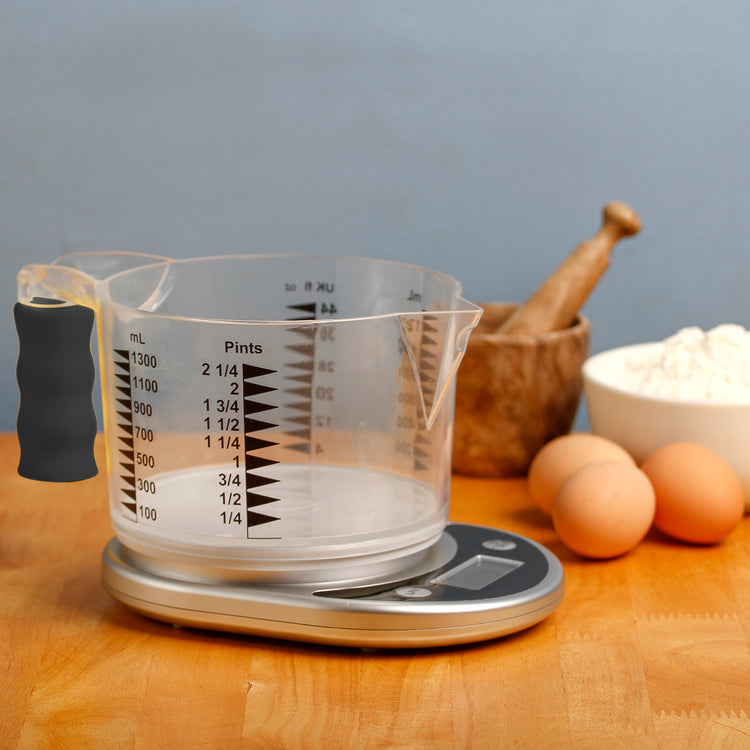
This modern kitchen scale with an easy-to-see jug measures wet or dry ingredients and speaks in a clear male English voice.

Price £68.40
Sale price £68.40 Was £0.00
In Stock
Price £57.00 ex VAT
Sale price £57.00 ex VAT

Product eligible for VAT exemption.

Product Instructions:

You can download instructions for this product from our user guides section. However, if you would prefer hard copy instructions, please select the format that you require from the options below.

Product Instructions

Are you exempt from paying VAT?

If you are blind or partially sighted, you do not have to pay VAT on specially designed products. To check if you are eligible for VAT exemption — please see our Prices and VAT FAQs.

Price: £68.40 inc VAT In Stock

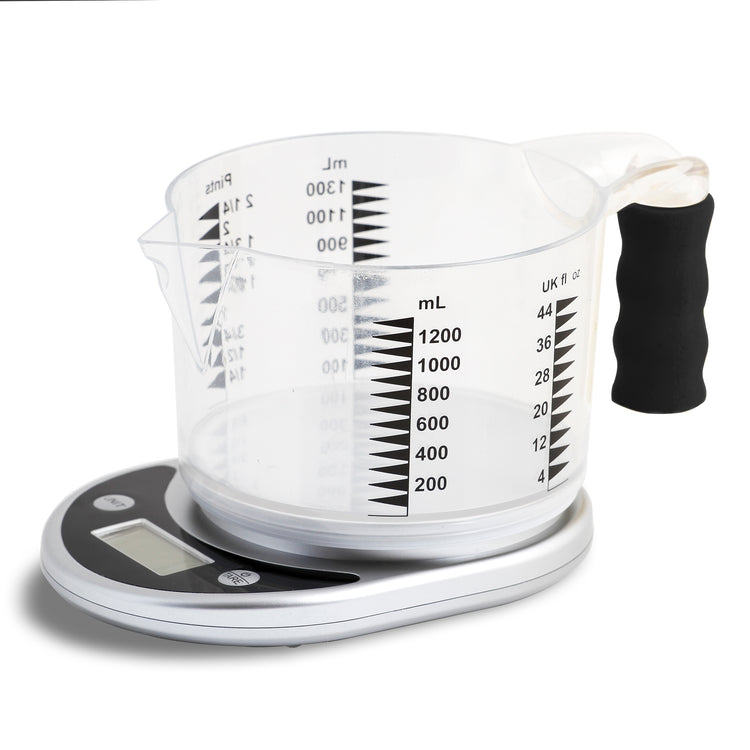
The slimline scale weighs up to 5kg/11lb and the measuring jug holds up to 1,300ml/2.25 pints. A tare function allows you to zero measurements before adding more ingredients.

The scale has tactile buttons that contrast with the case and a large LCD display, while the jug has bold markings on the outside, showing millilitres, pints and UK fluid ounces.

The jug has a foam easy-grip handle and a spout with locating recess to help keep it steady when pouring into another container.

A braille gauge (DK152-G) designed for measuring liquids by touch in this easy-to-see jug is available to purchase separately.

For more details about this product, check the product instructions manual (in the User Guides tab) to help you decide if this product is suitable for you.

This item is eligible for VAT exemption.

  • Clear male English voice.
  • Large LCD display and easy-to-operate tactile buttons.
  • Jug has bold markings and easy-grip handle.
  • Announces weight in kg/g or pounds/ounces.
  • Announces liquid volume in millilitres, fluid ounces or pints.
  • Tare function allows you to zero measurements before adding more ingredients.
  • Capacity: 5kg/11lbs or 1,300ml/2.25 pints.
  • Colour: Silver.
  • Size of scale: 21 × 16 × 4cm.
  • Size of jug: 24 × 16 × 10cm.
  • Weight of scale: 322g.
  • Weight of jug: 251g.
  • One-year manufacturer’s warranty.

Battery information

  • Requires two AAA batteries (not included).

For hygiene reasons this product is non-returnable unless faulty, or it can be returned within 14 days if unsuitable, in an unopened and as new condition.

Help and guidance

Frequently asked questions

Common questions about this product. If you need more help, our team is happy to talk it through with you.

  • My player will not turn on or looks like it is not charging 

    If you hear the battery low announcement twice, then you must charge the unit after the second voice prompt is heard. If the battery level drops below 3.3 volts, then the speaker will be muted until it is charged. Once the charger is connected the time will vary for the battery level to return to 3.3 volts or higher, and during this time the player may appear that it is not charging. 

    Please follow these steps: 

    1. Plug the USB-C charging cable into the player. 
    2. Leave it on charge for at least 15 minutes. 
    3. Keep the charger plugged in, and press the power button to turn the player on. 

    If the battery was completely drained, the player may need to be left on charge for up to 30 minutes before it turns on. 

    If the player does not turn on after charging for one hour try the following: 

    • Check the charger cable is firmly plugged in. 
    • Try a different wall socket. 
    • Make sure the power is switched on at the socket. 
    • Try a different USB-C charging cable. 
  • My USB memory stick is not playing any books 

    If your USB memory stick is not working, it may need to be reformatted. This will remove everything from the stick. 

    Important: Before you start, save your books on your computer. 

    How to reformat a USB memory stick on a Windows PC:

    1. Put the USB stick into your computer. 
    2.  Open File Explorer. 
    3. Locate the USB stick from the list of drives and copy all files and place them on your computer in another location. 
    4. Move back to the USB drive in Explorer, then bring up the context menu options for the USB drive and choose Format. 
    5. Choose FAT32 (or exFAT if FAT32 is not shown). 
    6. Select Start and wait for it to finish. 
    7. Copy your files back on to your stick. 
    8. Remove the USB stick safely. 

    How to reformat a USB memory stick on a Mac:

    1. Insert the USB stick into your Mac. 
    2. Open Disk Utility. 
    3. Select the USB stick from the list of available options and copy the files from the stick to another location on your Mac. 
    4. Move back to your USB stick and choose Erase. 
    5. Set the format to MS-DOS (FAT). 
    6. Select Erase and wait for it to finish. 
    7. Add your books back on to your USB stick. 
    8. Remove the USB stick safely. 
    9. Checking your reformatted stick is working 

    Once your books are copied back on to the USB stick from your computer, insert the stick back into the RNIB Accord player. Turn the player on and check it plays as expected. 
Recently Viewed