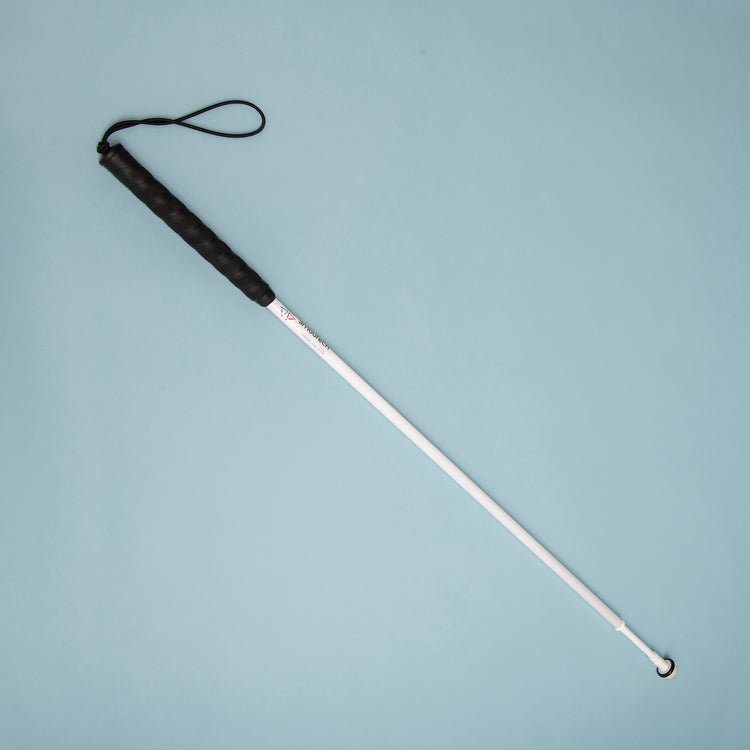
Ambutech graphite telescopic long cane

Ambutech graphite telescopic long cane

ME15

This is a two-section graphite light duty cane designed for occasional use, not for rugged everyday use. Ideal for use indoors or in familiar areas where you need extra coverage.

Price £72.00
Sale price £72.00 Was £0.00
In Stock
Price £60.00 ex VAT
Sale price £60.00 ex VAT

Product eligible for VAT exemption.

Product Instructions:

You can download instructions for this product from our user guides section. However, if you would prefer hard copy instructions, please select the format that you require from the options below.

Product Instructions
Select: Size

Are you exempt from paying VAT?

If you are blind or partially sighted, you do not have to pay VAT on specially designed products. To check if you are eligible for VAT exemption — please see our Prices and VAT FAQs.

Price: £72.00 inc VAT In Stock

Warning: For safety reasons, RNIB recommends you seek an assessment and training from a qualified mobility instructor before purchasing a cane.

Available in two sizes: 65-127cm, and 78-148cm. Each is infinitely adjustable over its full extended range by a quick turn of the shaft. Ideal for growing children.

Supplied with a thread-style ceramic tip.

Please note that in some light conditions the colour of the cane may look grey rather than white, however it is still reflective (for example, in car headlights).

Important

  • Long canes should only be used by people who have received appropriate training from a specialist qualified professional, in order to attain a high level of safe and independent travel. Long canes are not to be used for supporting a person's body weight.
  • When choosing the length of your cane, standard advice is that a long cane should reach between the user's sternum (breastbone) and under the chin, when the user is standing upright and the cane tip is touching the ground between their legs. However, the length and speed of walking stride will also affect the length of the cane required.
  • Please note: All cane measurements are from the top of the handle to the bottom end of the tip and increase in steps of five centimetres (or two inches).

This item is eligible for VAT exemption

  • Length: 65-127cm (26-50inches) or 78-148cm (31-59 inches).
  • Ceramic tip – thread style (MP89).
  • This cane can be fitted with any of our 8mm thread style cane tips.
  • Two sections.
  • Standard black rubber 10-inch grip.
  • Material: Graphite.
  • Approximate weight: 150g or 175g.

Help and guidance

Frequently asked questions

Common questions about this product. If you need more help, our team is happy to talk it through with you.

  • My player will not turn on or looks like it is not charging 

    If you hear the battery low announcement twice, then you must charge the unit after the second voice prompt is heard. If the battery level drops below 3.3 volts, then the speaker will be muted until it is charged. Once the charger is connected the time will vary for the battery level to return to 3.3 volts or higher, and during this time the player may appear that it is not charging. 

    Please follow these steps: 

    1. Plug the USB-C charging cable into the player. 
    2. Leave it on charge for at least 15 minutes. 
    3. Keep the charger plugged in, and press the power button to turn the player on. 

    If the battery was completely drained, the player may need to be left on charge for up to 30 minutes before it turns on. 

    If the player does not turn on after charging for one hour try the following: 

    • Check the charger cable is firmly plugged in. 
    • Try a different wall socket. 
    • Make sure the power is switched on at the socket. 
    • Try a different USB-C charging cable. 
  • My USB memory stick is not playing any books 

    If your USB memory stick is not working, it may need to be reformatted. This will remove everything from the stick. 

    Important: Before you start, save your books on your computer. 

    How to reformat a USB memory stick on a Windows PC:

    1. Put the USB stick into your computer. 
    2.  Open File Explorer. 
    3. Locate the USB stick from the list of drives and copy all files and place them on your computer in another location. 
    4. Move back to the USB drive in Explorer, then bring up the context menu options for the USB drive and choose Format. 
    5. Choose FAT32 (or exFAT if FAT32 is not shown). 
    6. Select Start and wait for it to finish. 
    7. Copy your files back on to your stick. 
    8. Remove the USB stick safely. 

    How to reformat a USB memory stick on a Mac:

    1. Insert the USB stick into your Mac. 
    2. Open Disk Utility. 
    3. Select the USB stick from the list of available options and copy the files from the stick to another location on your Mac. 
    4. Move back to your USB stick and choose Erase. 
    5. Set the format to MS-DOS (FAT). 
    6. Select Erase and wait for it to finish. 
    7. Add your books back on to your USB stick. 
    8. Remove the USB stick safely. 
    9. Checking your reformatted stick is working 

    Once your books are copied back on to the USB stick from your computer, insert the stick back into the RNIB Accord player. Turn the player on and check it plays as expected. 

Recently Viewed