Hark Ai

Hark Ai

HT409

If you liked the Hark Reader, you’ll love the Hark AI. Not only can you scan and read letters, magazines, books, menus and medicine instructions, but you can also read handwriting, hear descriptions of images or pictures, and translate documents into another language.

Special order

We work with partners to deliver products on our behalf. We will pass on your contact information to be able to deliver the product effectively. While delivery is usually a few days, it can take up to seven working days.
Price £2,394.00
Sale price £2,394.00 Was £0.00
In Stock
Price £1,995.00 ex VAT
Sale price £1,995.00 ex VAT

Product eligible for VAT exemption.

Are you exempt from paying VAT?

If you are blind or partially sighted, you do not have to pay VAT on specially designed products. To check if you are eligible for VAT exemption — please see our Prices and VAT FAQs.

Price: £2,394.00 inc VAT In Stock

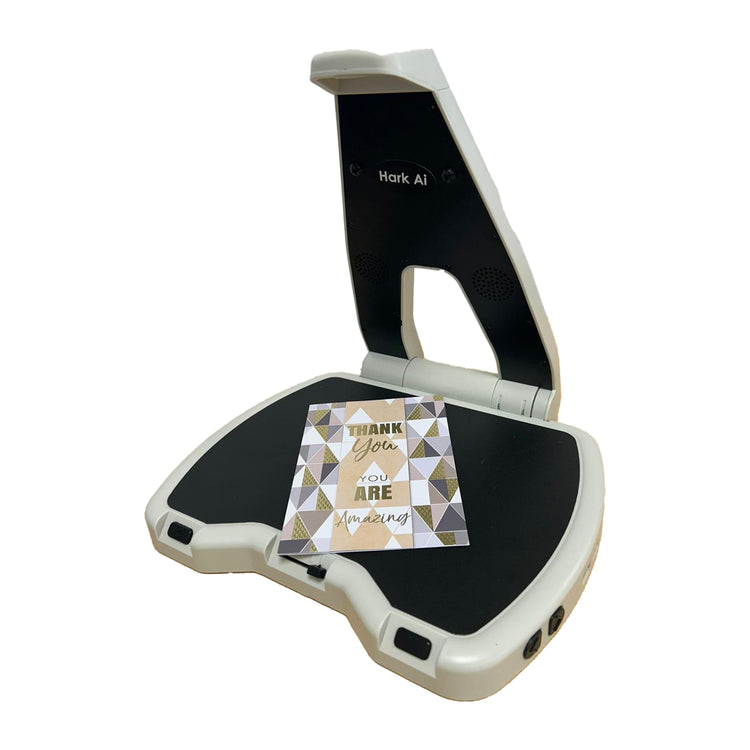
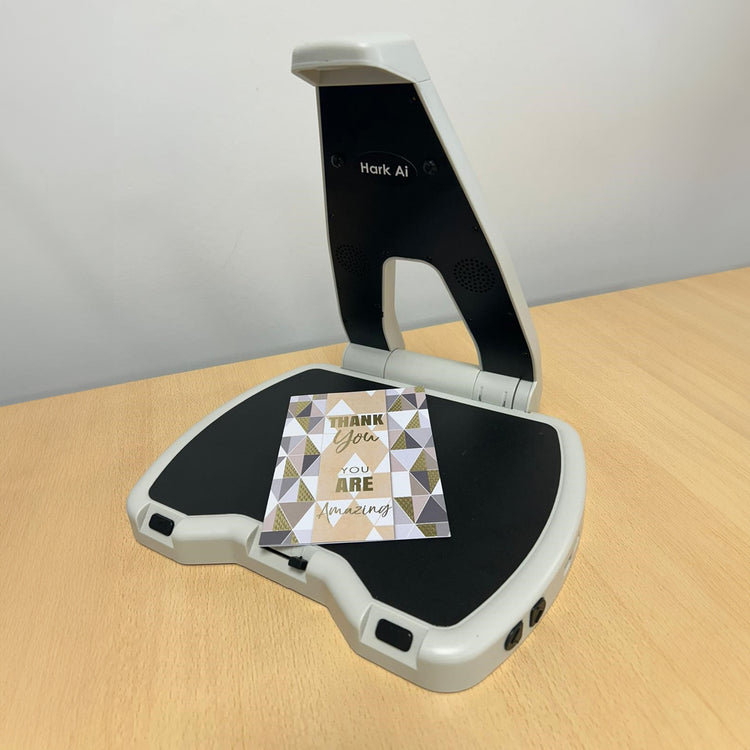
Simple to use, the Hark AI will read any printed information you place on it (from 6pt to 72pt font, up to A4 size – larger items, like newspapers, can be read if folded) in your choice of natural human-sounding voice and at the speed and volume you choose. It can also describe images and read handwriting – you can have a birthday card fully described, for example – and scan barcodes. 

 It has a 3.5mm headphone jack which can be used for headphones to give you privacy or a hearing loop, if you wear a compatible hearing aid. There is also an optional keypad to support more in depth navigation. 

Hark AI can be connected to a wi-fi network by following the automated instructions. The connection process will only need to be followed once upon initial setup. Connection will happen automatically afterwards.

A tactile pause button can be found on the front of the device, but you can also pause reading by waving your hand over the text (wave again to resume reading). 

A second tactile button lets you skip back one or two sentences to listen to something again. All controls, including the sliding volume control and the buttons to increase and decrease reading speed, are tactile, black and contrast with the white case of the Hark AI. 

For more details about this product, check the product instructions manual (in the User Guides tab) to help you decide if this product is suitable for you. 

Special order

We work with partners to deliver products on our behalf. If you’re buying a special order product, we will pass on your contact information to our partners to enable delivery. We may also quote extended delivery times, outside of our standard terms and conditions for these products.

Important – order cancellations and returns

We are unable to cancel your order once it has been placed should you change your mind.

  • Scan and read (OCR) device. 
  • Sleek, portable, foldable design with A4 reading plate. 
  • Reads printed text (6pt to 72pt) automatically. 
  • AI reads handwriting and barcodes, and describes pictures. 
  • Choice of natural, human-sounding voices. 
  • Pause/play with hand motion. 
  • High contrast black, tactile controls. 
  • One button to pause/resume reading. 
  • One button to move back by sentence. 
  • Tactile slide to adjust volume. 
  • Increase/decrease reading speed. 
  • Multiple languages available for purchase from HumanWare. 
  • USB (for external storage). 
  • Wi-fi connectivity.
  • 3.55mm headphone socket. 
  • Supplied with carrying case. 
  • Size: 33 × 26 × 29cm (unfolded); 33 × 26 × 5cm (folded). 
  • Weight: 1.6kg. 
  • Battery: Up to 12 hours' use on one charge. 
  • Recycling information: All packaging fully recyclable, product is recyclable through the Waste Electrical and Electronic Equipment Recycling (WEEE) program.
  • Two-year manufacturer’s warranty. 

Special order.  We work with partners to deliver products on our behalf. If you’re buying a special order product, we will pass on your contact information to our partners to enable delivery. We may also quote extended delivery times, outside of our standard terms and conditions for these products. Important – order cancellations and returns We are unable to cancel your order once it has been placed. Should you change your mind

Help and guidance

Frequently asked questions

Common questions about this product. If you need more help, our team is happy to talk it through with you.

  • My player will not turn on or looks like it is not charging 

    If you hear the battery low announcement twice, then you must charge the unit after the second voice prompt is heard. If the battery level drops below 3.3 volts, then the speaker will be muted until it is charged. Once the charger is connected the time will vary for the battery level to return to 3.3 volts or higher, and during this time the player may appear that it is not charging. 

    Please follow these steps: 

    1. Plug the USB-C charging cable into the player. 
    2. Leave it on charge for at least 15 minutes. 
    3. Keep the charger plugged in, and press the power button to turn the player on. 

    If the battery was completely drained, the player may need to be left on charge for up to 30 minutes before it turns on. 

    If the player does not turn on after charging for one hour try the following: 

    • Check the charger cable is firmly plugged in. 
    • Try a different wall socket. 
    • Make sure the power is switched on at the socket. 
    • Try a different USB-C charging cable. 
  • My USB memory stick is not playing any books 

    If your USB memory stick is not working, it may need to be reformatted. This will remove everything from the stick. 

    Important: Before you start, save your books on your computer. 

    How to reformat a USB memory stick on a Windows PC:

    1. Put the USB stick into your computer. 
    2.  Open File Explorer. 
    3. Locate the USB stick from the list of drives and copy all files and place them on your computer in another location. 
    4. Move back to the USB drive in Explorer, then bring up the context menu options for the USB drive and choose Format. 
    5. Choose FAT32 (or exFAT if FAT32 is not shown). 
    6. Select Start and wait for it to finish. 
    7. Copy your files back on to your stick. 
    8. Remove the USB stick safely. 

    How to reformat a USB memory stick on a Mac:

    1. Insert the USB stick into your Mac. 
    2. Open Disk Utility. 
    3. Select the USB stick from the list of available options and copy the files from the stick to another location on your Mac. 
    4. Move back to your USB stick and choose Erase. 
    5. Set the format to MS-DOS (FAT). 
    6. Select Erase and wait for it to finish. 
    7. Add your books back on to your USB stick. 
    8. Remove the USB stick safely. 
    9. Checking your reformatted stick is working 

    Once your books are copied back on to the USB stick from your computer, insert the stick back into the RNIB Accord player. Turn the player on and check it plays as expected. 

Recently Viewed